
How to Accept Crypto Payments on BigCommerce in 2026
 Aurpaytech
You can add crypto checkout to a BigCommerce store in about 15 minutes. BigCommerce supports two paths: built-in custodial gateways like BitPay and CoinPayments that you switch on from the control panel, or a marketplace app like Aurpay, which is non-custodial and sends payments straight to your own wallet at a flat 0.8% per transaction.
The short verdict: if you want the lowest predictable fee, no third party holding your funds, and stablecoin acceptance (USDT and USDC) to sidestep crypto volatility, install Aurpay. If you specifically want the gateway to auto-convert crypto to fiat and deposit dollars in your bank, you’ll need a custodial processor instead — and you’ll pay for that convenience in fees.
This guide walks through the exact setup, the coins your customers can pay with, a real fee comparison, and the trade-offs for BigCommerce specifically.
Key takeaways
- Two paths: built-in custodial gateways (BitPay, CoinPayments) or a marketplace app like Aurpay (non-custodial).
- Setup time: roughly 15 minutes — create an Aurpay account, copy your Merchant ID and Public Key, install the app in BigCommerce, paste credentials, pick coins.
- Coins: BTC, Bitcoin Lightning, ETH, USDT (ERC-20 + TRC-20), USDC (ERC-20 + TRC-20), DAI (ERC-20), BNB.
- Fee: Aurpay is 0.8% flat. BitPay runs 1–2% plus $0.25 per transaction. There’s no per-transaction surcharge with Aurpay.
- Non-custodial: funds land in your wallet at on-chain confirmation — Aurpay never holds your keys or your customers’ money.
- No chargebacks: blockchain transactions are irreversible, so the $2.94-per-$1 chargeback cost does not apply to the sales you shift to crypto.
Your two options for crypto on BigCommerce
BigCommerce gives you two distinct ways to accept cryptocurrency, and the difference between them matters more than most merchants realize. The first is the built-in gateway route: BitPay and CoinPayments appear in the BigCommerce control panel under your payment settings. The second is the marketplace app route, where you install a dedicated app — Aurpay works this way — and it adds a crypto payment method to your checkout.
The deeper split is custodial versus non-custodial. Custodial gateways (BitPay, CoinPayments) receive your customer’s payment into an account they control, then settle to you — often after converting to fiat. Non-custodial gateways — Aurpay, plus Coinbase Commerce since its 2023 on-chain redesign and self-hosted BTCPay Server — route the payment directly from the customer to your own wallet address; the processor only verifies the on-chain transaction and never takes possession of the money.
That distinction decides who bears counterparty risk. With a custodial setup, your funds sit on a third party’s balance sheet between payment and settlement, where they can be frozen by a compliance hold or lost if the provider fails. With a non-custodial model like Aurpay’s, the payment is yours the moment the blockchain confirms it. We break the trade-off down in our guide to the hidden costs of custodial crypto payment gateways.
How to add Aurpay to your BigCommerce store (step by step)
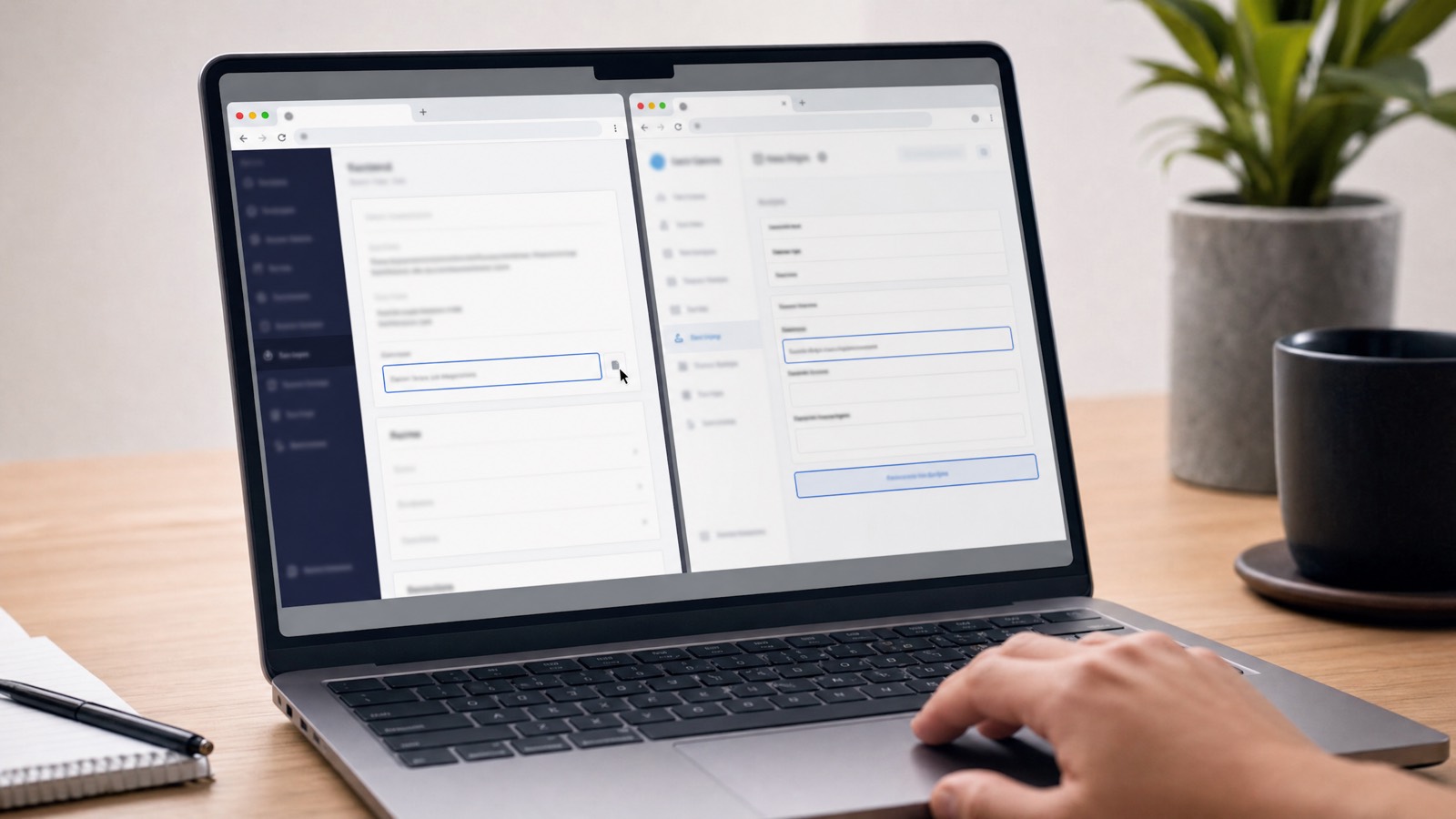
The whole process takes about 15 minutes if your wallet addresses are ready. You’ll move between two browser tabs — your Aurpay merchant dashboard and your BigCommerce admin — copying a couple of credentials across.
- Create your Aurpay merchant account. Sign up at aurpay.net. No contracts or banking details are required to open the account, which keeps onboarding fast.
- Open the Integration dashboard. Inside your Aurpay account, go to the Integration section, where your credentials live.
- Copy your Merchant ID and Public Key. BigCommerce uses these two values to authenticate payment requests against your Aurpay account. Keep them handy in your second tab.
- Find Aurpay in the BigCommerce marketplace. In your BigCommerce admin, go to the Apps section and search for “Aurpay.” It installs like any other marketplace app.
- Install and paste your credentials. Click install, then enter the Merchant ID and Public Key you copied. This links the app to your Aurpay account.
- Activate the payment method. Enable Aurpay as a payment option so it appears at checkout alongside your card processor.
- Configure your token preferences. Choose which coins to accept and set the receiving wallet address for each — the step that needs the most preparation (see the wallet note below).
One honest caveat: you need a non-custodial wallet address for each coin you plan to accept before you finish step seven, because that’s where the money goes. If you only want USDT on TRC-20, you only need one Tron address; for the full menu, set up addresses for each chain in advance so configuration doesn’t stall. Merchants who mainly see Tether at checkout can start with a USDT payment gateway.
What coins your customers can pay with
Through Aurpay, a BigCommerce customer can pay with BTC, Bitcoin Lightning, ETH, USDT (on both ERC-20 and TRC-20), USDC (on both ERC-20 and TRC-20), DAI (ERC-20), and BNB. You decide which to enable — most merchants turn on stablecoins plus BTC and ETH and leave the rest off to keep checkout simple. Merchants weighing speed against fees can read more about Lightning Network payments for business.
The network choice for stablecoins has a direct impact on cost. USDT on TRC-20 (the Tron network) typically costs under $1 per transaction in network fees. The same USDT on ERC-20 (Ethereum) runs several dollars in gas during normal periods and can spike when the network is congested. Offering TRC-20 USDT is the single most merchant- and customer-friendly stablecoin option you can enable. We cover the mechanics in USDT TRC-20 payment processing with low fees.
Stablecoins now make up the large majority of crypto payment volume, and that share has been climbing year over year, because both sides prefer a coin that doesn’t swing in price between checkout and settlement. If you enable nothing else, enable USDT and USDC.
Fee comparison: Aurpay vs BitPay vs CoinGate vs NOWPayments
Fees are where the gateways genuinely diverge, and the headline percentage doesn’t always tell the whole story. BitPay, for example, advertises a percentage but also adds a flat $0.25 per transaction. Here’s how the major options compare for a BigCommerce store.
| Gateway | Fee | Custodial? | Settlement | BigCommerce |
|---|---|---|---|---|
| Aurpay | 0.8% flat | No (non-custodial) | Direct to your wallet, on-chain | Marketplace app |
| BitPay | 1–2% + $0.25/tx | Yes | To BitPay, then to you (fiat option) | Built-in gateway |
| CoinGate | 1% flat | Yes | To CoinGate, then to you | Via app / API |
| NOWPayments | 0.5% base + 0.5% if converting (1% total) | No (non-custodial) | Direct to your wallet | Via app / API |
| Coinbase Commerce | 1% | No (on-chain, merchant wallet) | Direct to merchant wallet on Base | Via app / API |
| BTCPay Server | 0% (self-hosted) | No | Direct to your wallet | Self-hosted integration |
A few honest notes on this table. BitPay’s published rate is 2% under $500K in monthly volume, dropping to 1.5% and then 1% at higher tiers — all plus a flat $0.25 per transaction — so most small and mid-size stores pay the full 2% plus the surcharge. Coinbase Commerce moved to an on-chain, merchant-controlled model on Base in its 2023 redesign, so it is non-custodial too — its differentiator versus Aurpay is the fee (1% vs 0.8% flat), not custody. BTCPay Server is free at 0% and also non-custodial, but self-hosted: you run the server, manage the wallet, and handle updates yourself. For a fuller breakdown across more providers, see our crypto payment gateway comparison for 2026.
Aurpay’s 0.8% is a single flat number with no per-transaction add-on, which makes it the lowest flat hosted fee among the non-self-hosted options here that support stablecoins out of the box. For a $40 order, that’s 32 cents versus BitPay’s 80 cents plus a 25-cent surcharge.
Why non-custodial matters for BigCommerce merchants
When a customer pays through Aurpay, the funds move from their wallet to your wallet on the blockchain, and the gateway’s only job is to confirm that transaction happened. Aurpay never touches your private keys and never holds the money. You hold 100% of your keys — there is no Aurpay-controlled account where your revenue waits.
Compare that to a custodial gateway. BitPay or CoinPayments receives the crypto, holds it, optionally converts it to fiat, and then settles to your bank on its own schedule. In that window your funds sit on someone else’s books, exposed to compliance freezes, withdrawal limits, or — in the worst case — provider insolvency. Note that not every competitor is custodial: Coinbase Commerce settles on-chain to a merchant-controlled wallet on Base, and BTCPay Server is self-hosted, so both are non-custodial like Aurpay. Where Aurpay separates from them is the flat 0.8% fee and a direct-to-your-own-wallet flow with no per-transaction surcharge. We catalogued the current landscape in Crypto Payment Plugin.
For a merchant, non-custodial isn’t an abstract ideology; it’s about who can stop your cash flow. With a direct-to-wallet model, no third party can freeze a settlement, impose a holding period, or fail and take your float with it. Our explainer on non-custodial crypto payment gateways covers how the settlement flow works.
Zero chargebacks — the underrated win
Card payments come with a structural cost most merchants underprice: chargebacks. Industry estimates put the total damage at roughly $2.94 for every $1 lost once you add fees, lost goods, and admin time. Global card-not-present fraud losses are projected to reach about $28.1 billion by 2026, per LexisNexis Risk Solutions — a roughly 40% jump from 2023.
Crypto removes this category on the orders it covers. Blockchain transactions are irreversible by design — once confirmed, a payment cannot be clawed back by the customer’s bank weeks later. There’s no “friendly fraud,” no representment process, no chargeback fees on those sales. For a BigCommerce store selling digital goods, high-ticket items, or anything fraud-prone, the chargeback cost simply doesn’t apply to whatever share of revenue moves to crypto — a meaningful margin recovery on that volume.
The flip side is that you carry the customer-service responsibility yourself. Because there’s no bank to reverse a payment, display a clear refund policy stating that refunds are handled directly by your store (you’d send crypto back manually), and keep support responsive. The irreversibility is a feature, but it shifts the burden of fairness onto you.
Stablecoins, the GENIUS Act, and why now
The reason 2026 is the right moment to add crypto to BigCommerce is regulatory clarity. The GENIUS Act, signed into law on July 18, 2025, created the first US federal framework for payment stablecoins. It legitimizes USDT- and USDC-style coins as payment instruments and — notably for merchants — explicitly allows you to offer customers discounts for paying with stablecoins.
Stablecoins solve the one objection that kept many merchants away: volatility. When a customer pays in USDT or USDC, you receive a dollar-pegged asset, not a coin that might drop 5% before you can act. You get crypto’s chargeback immunity and direct settlement without the price risk of BTC or ETH — which is why a “stablecoin-first” setup is the pragmatic default. We go deeper in stablecoin payments and GENIUS Act compliance.
The demand is already here. Per an NCA/PayPal/Harris Poll survey (October 2025, n=619), 39% of US merchants already accept crypto, 88% report customer inquiries about paying with it, and among merchants who accept it, crypto makes up 26% of total sales. Another 84% believe crypto payments will be common within five years, and 79% expect it to help attract new customers.
Limitations to know before you start
Being straight with you matters more than overselling, so here’s what Aurpay does not do. There’s no fiat auto-conversion — you receive crypto directly to your wallet, and if you want dollars in your bank, you convert the coins yourself on an exchange account. Accepting stablecoins largely neutralizes this, since USDT and USDC already hold a dollar value, but it’s still a manual step custodial gateways automate (for a fee).
A second practical point: you need a non-custodial wallet address per coin before you finish setup, and you’re responsible for securing those keys — there’s no Aurpay-controlled fallback account. And while Aurpay installs from the BigCommerce marketplace, this is a credential-paste integration, not a one-click toggle.
Finally, keep volume expectations realistic. Crypto is still a small share of total e-commerce payment volume, so for most stores this is an incremental channel that wins on margin and on serving the customers already asking for it — not a wholesale replacement for cards on day one. Tax-reporting obligations also remain: crypto sales are reportable income, and you’ll want your accounting set up to track them.
Frequently asked questions
Does BigCommerce natively support crypto payments?
Yes. BigCommerce supports crypto through two routes: built-in gateways like BitPay and CoinPayments that you enable from the control panel, and marketplace apps like Aurpay that you install from the Apps section. There’s no need to build a custom integration — both paths are merchant-accessible.
Is there a transaction minimum?
Aurpay doesn’t impose a fixed transaction minimum, but network fees make very small payments impractical on some chains. For micro-payments, route customers toward TRC-20 USDT or Bitcoin Lightning, where the network cost is a fraction of a dollar, rather than ERC-20.
Can I accept USDT without crypto price volatility risk?
Yes — that’s the main reason to accept stablecoins. USDT and USDC are pegged to the US dollar, so the value you receive doesn’t swing between checkout and settlement the way BTC or ETH can. Enable USDT (ideally TRC-20 for low fees) and you get crypto’s chargeback immunity without the price risk.
Do I need a wallet before I start?
Yes. Because Aurpay is non-custodial, payments go directly to your own wallet, so you need a receiving address for each coin you plan to accept before you finish configuration. Set up at minimum a Tron (TRC-20) address for USDT, and add others as you expand your accepted-coin list.
How does Aurpay’s fee compare to my card processor?
Card processing typically costs 2–4% all-in once you factor in interchange, assessments, and chargeback exposure. Aurpay is a flat 0.8% per transaction with no chargebacks and no surcharge, so on crypto orders your effective cost is materially lower. See our breakdown of stablecoin vs credit card fees for merchants.
What’s the difference between Aurpay and BitPay on BigCommerce?
BitPay is custodial — it holds your funds and can convert them to fiat before settling to your bank, at 1–2% plus $0.25 per transaction. Aurpay is non-custodial — payments go straight to your wallet at 0.8% flat, and no third party ever holds your money. The trade-off is fiat convenience (BitPay) versus lower cost and full custody (Aurpay).
Add crypto checkout to your BigCommerce store
If you want the lowest flat fee, direct-to-wallet settlement, and stablecoin acceptance without a third party holding your revenue, Aurpay is the BigCommerce integration to install. Set it up in about 15 minutes, accept BTC, Bitcoin Lightning, ETH, USDT (ERC-20 + TRC-20), USDC (ERC-20 + TRC-20), DAI (ERC-20) and BNB at 0.8% flat, and keep 100% of your private keys. Explore the Aurpay e-commerce integrations, then create your account and open the Integration dashboard to copy the Merchant ID and Public Key you paste into the BigCommerce app. Your customers are already asking — give them a checkout that costs you less and can’t be charged back.